Skip to features
LemmaGet the app
LaTeX editor · Android

LaTeX, on your phone.

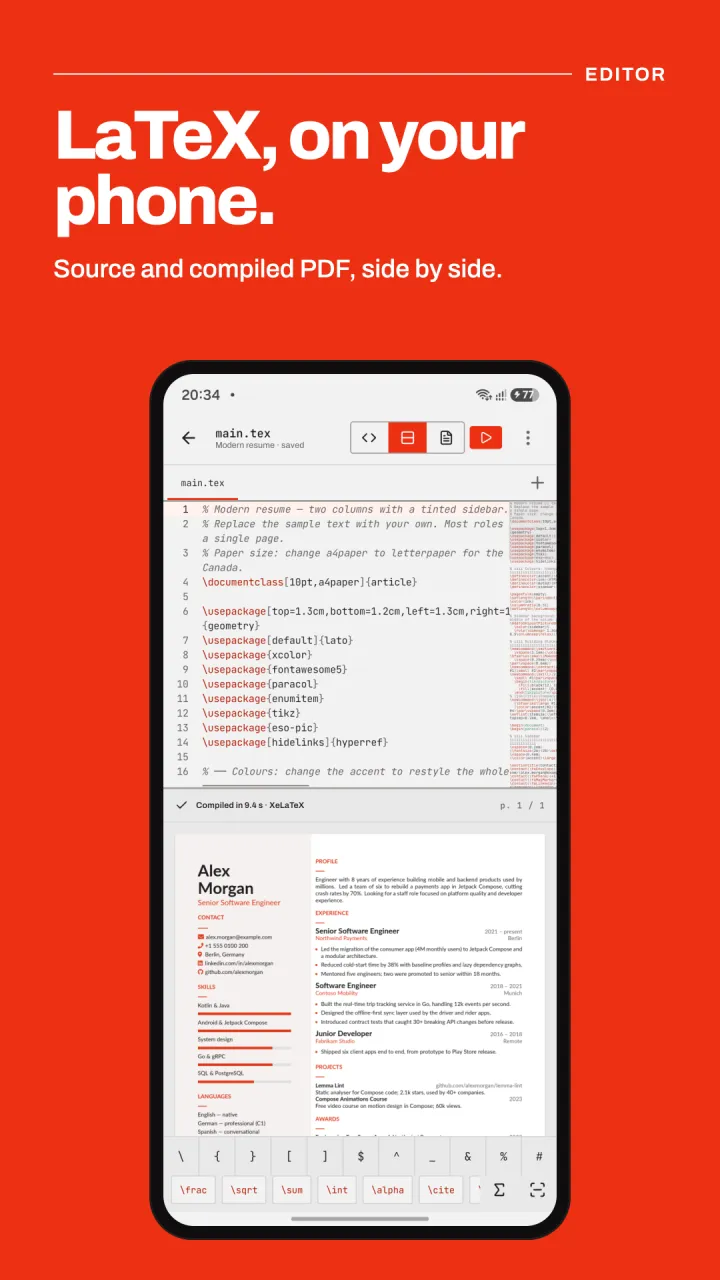
Write LaTeX and compile it to PDF right on your device with a real XeTeX engine. Source and PDF side by side, fully offline, and no account.

  • Compiles offline
  • No account
  • Free to use
Lemma editing a LaTeX resume, with the source above and the compiled PDF below
Compiler

Real XeLaTeX, fully offline.

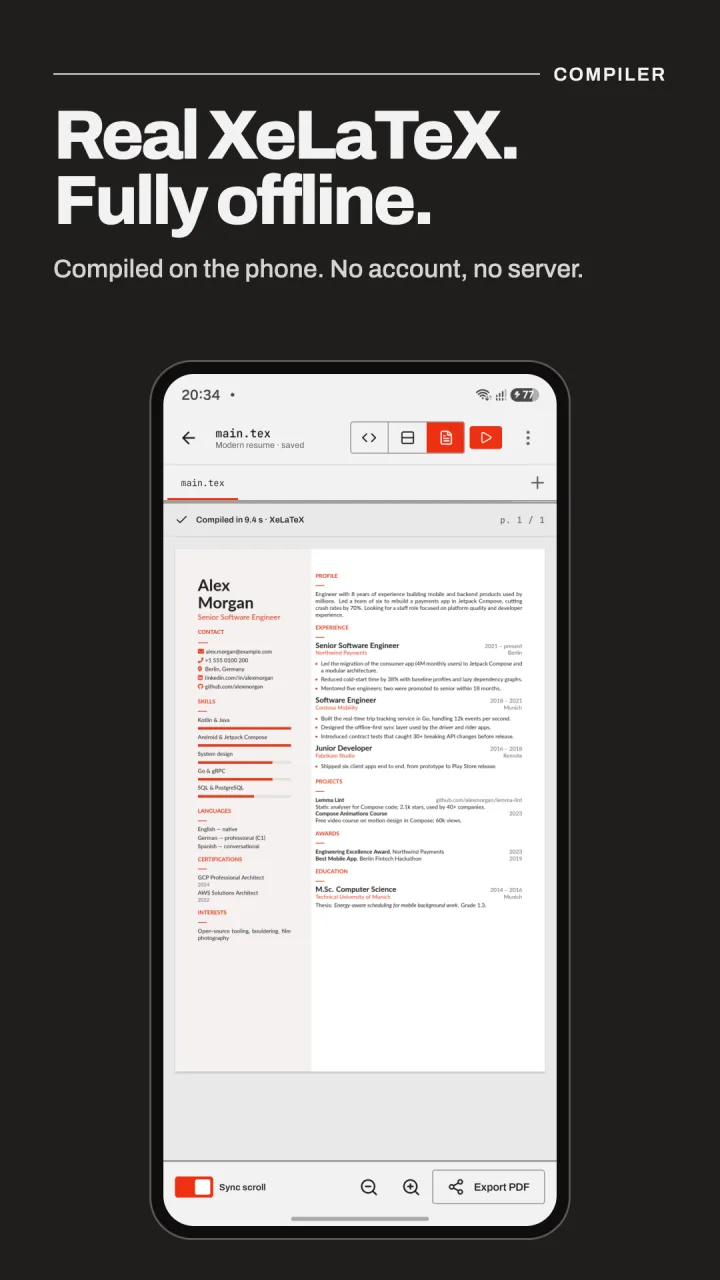
Lemma runs the Tectonic XeTeX engine on your phone, so there is no server and no queue. TeX packages download the first time a document needs them and then work offline.

  • Unicode and system fonts through XeTeX, plus BibTeX bibliographies
  • Errors listed with line numbers; tap one to jump to it
  • Sync scroll between source and PDF, and tap the PDF to find its source
A compiled LaTeX resume in Lemma's PDF viewer with sync scroll and export
Snap math

Draw math. Get LaTeX.

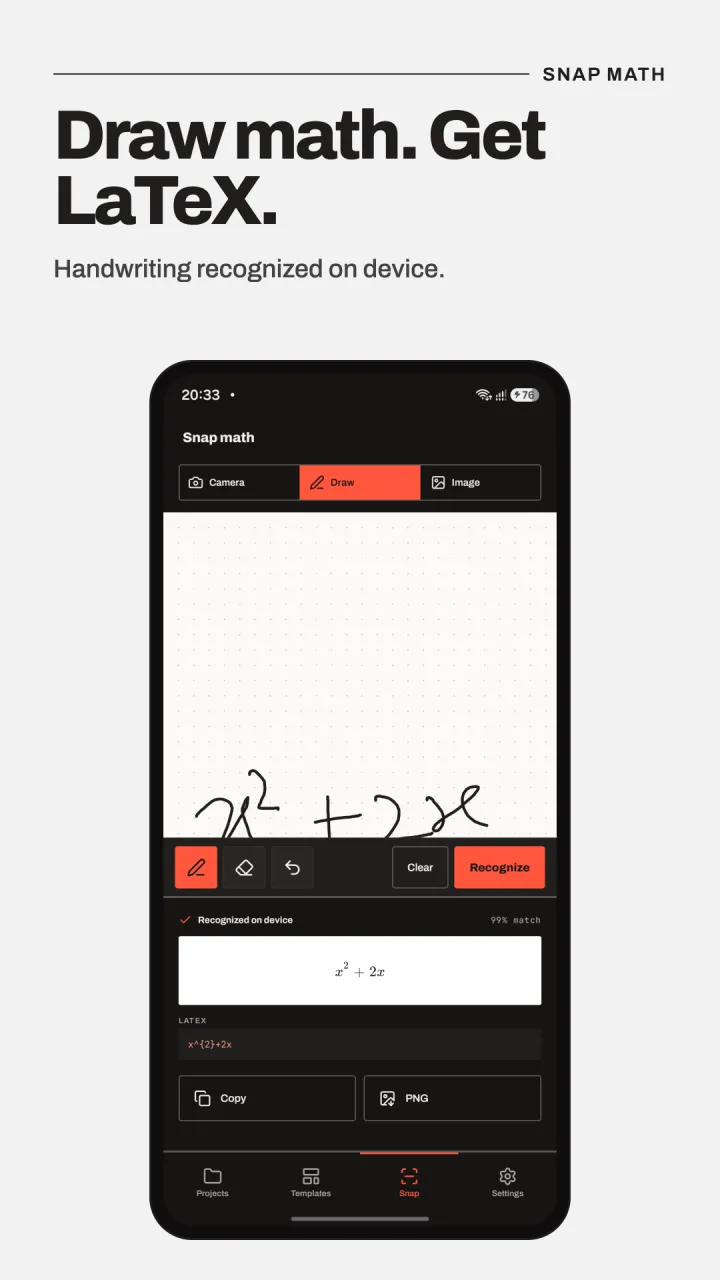
Photograph a printed formula, pick an image or write it by hand, and Lemma turns it into LaTeX. Recognition runs on your device; images are never uploaded.

  • Camera, handwriting and image input
  • Edit the result with a live preview before inserting
  • Copy the LaTeX or export the formula as a PNG
Snap math recognising the handwritten formula x squared plus 2x as LaTeX
Templates

Start from a template.

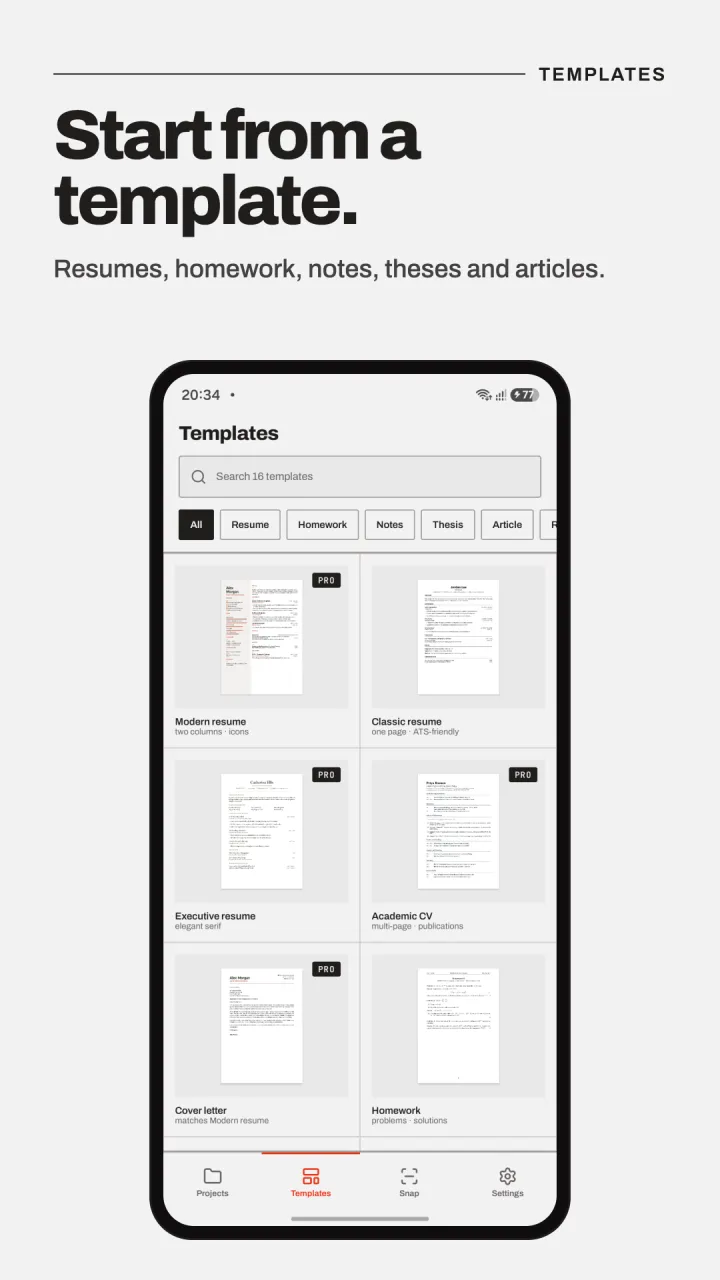
Seventeen templates that compile on the first try: resumes, cover letter, homework, lecture notes, theses, papers, slides, an exam and a research poster.

  • 7 free templates, from a classic resume to a thesis
  • 10 premium templates with Lemma Pro
  • Search and filter by kind
Lemma's template gallery with resume, CV, cover letter and homework templates
Keyboard

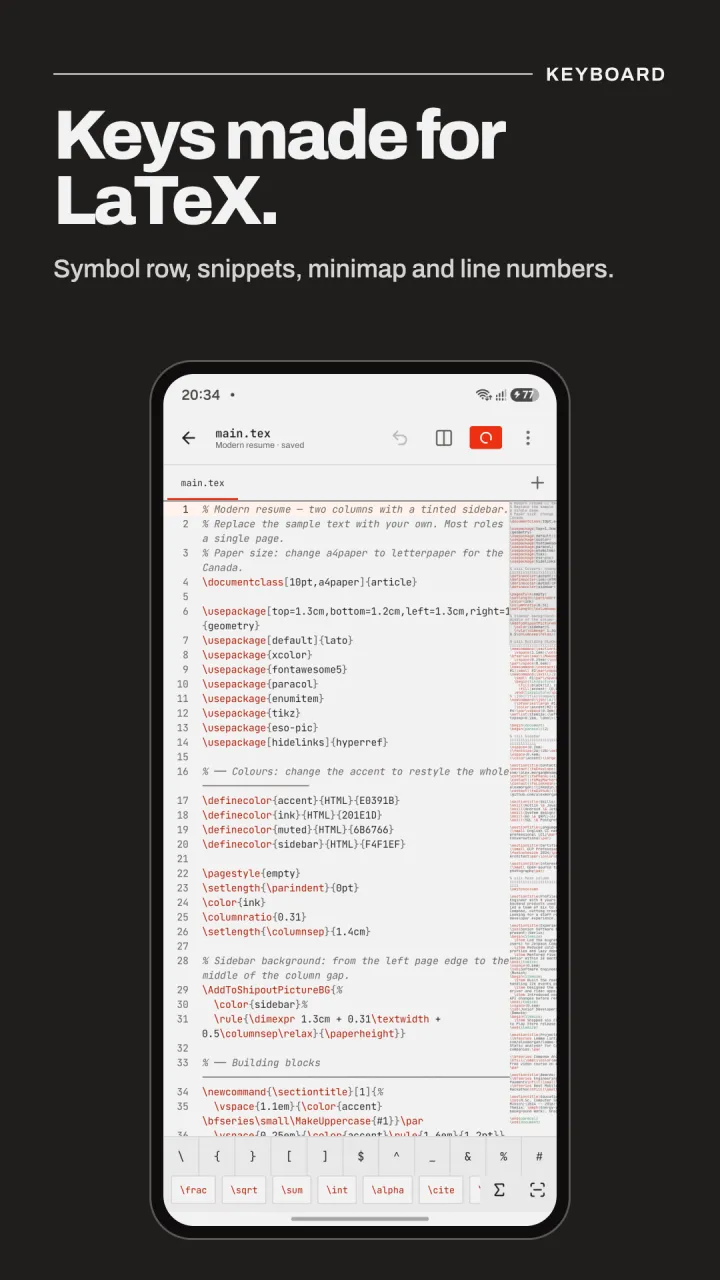
Keys made for LaTeX.

A symbol row sits above the keyboard with the characters LaTeX needs most, plus your own quick-insert commands. Autocomplete knows commands and environments.

  • Backslash, braces, $, ^, _ and & one tap away
  • Insert screen with hundreds of math symbols and common packages
  • Line numbers, minimap, find and replace, and an outline
Lemma's LaTeX editor with the symbol row and quick-insert snippets above the keyboard
Projects

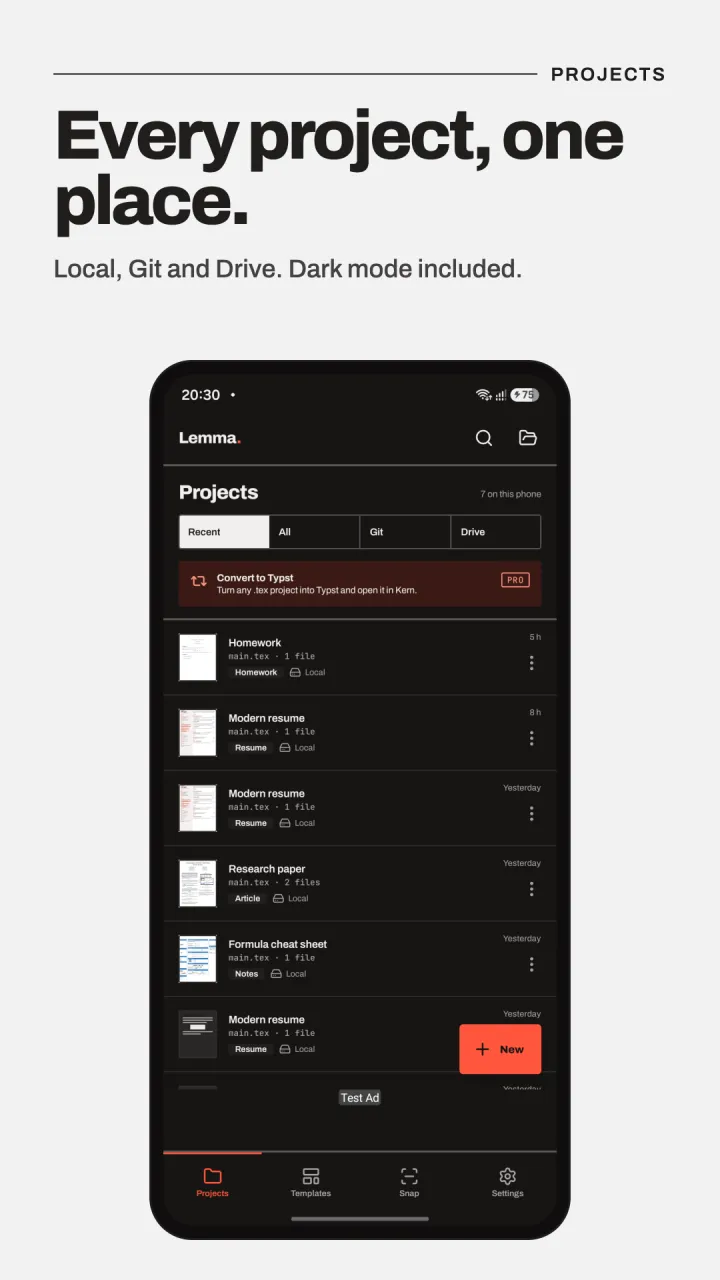
Every project, one place.

Projects live on your phone and can be kept as ordinary files in a folder you choose, so they survive reinstalls and open in other apps.

  • Git: clone, commit, push and pull with GitHub, GitLab or any host
  • Google Drive sync, limited to the files Lemma creates
  • Share the PDF or the whole project in one tap
Lemma's project list with filters for recent, Git and Drive projects
Import

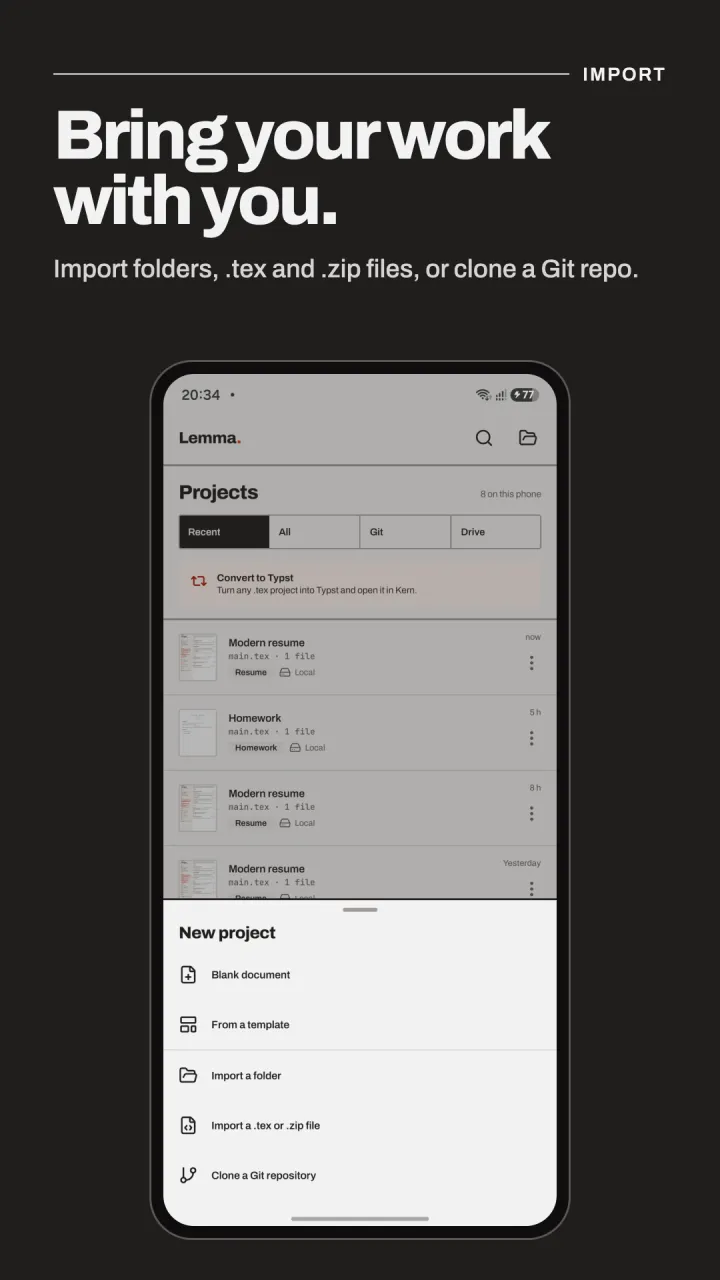
Bring your work with you.

Import a project folder, a single .tex file or a .zip export from an online editor such as Overleaf, or clone a Git repository. Lemma also opens .tex files straight from your file manager.

  • Multi-file projects with images and bibliographies
  • Clone straight from a Git URL
  • Convert LaTeX projects to Typst with Lemma Pro
Lemma's new project menu: blank document, template, folder, .tex or .zip file, or Git repository
Settings

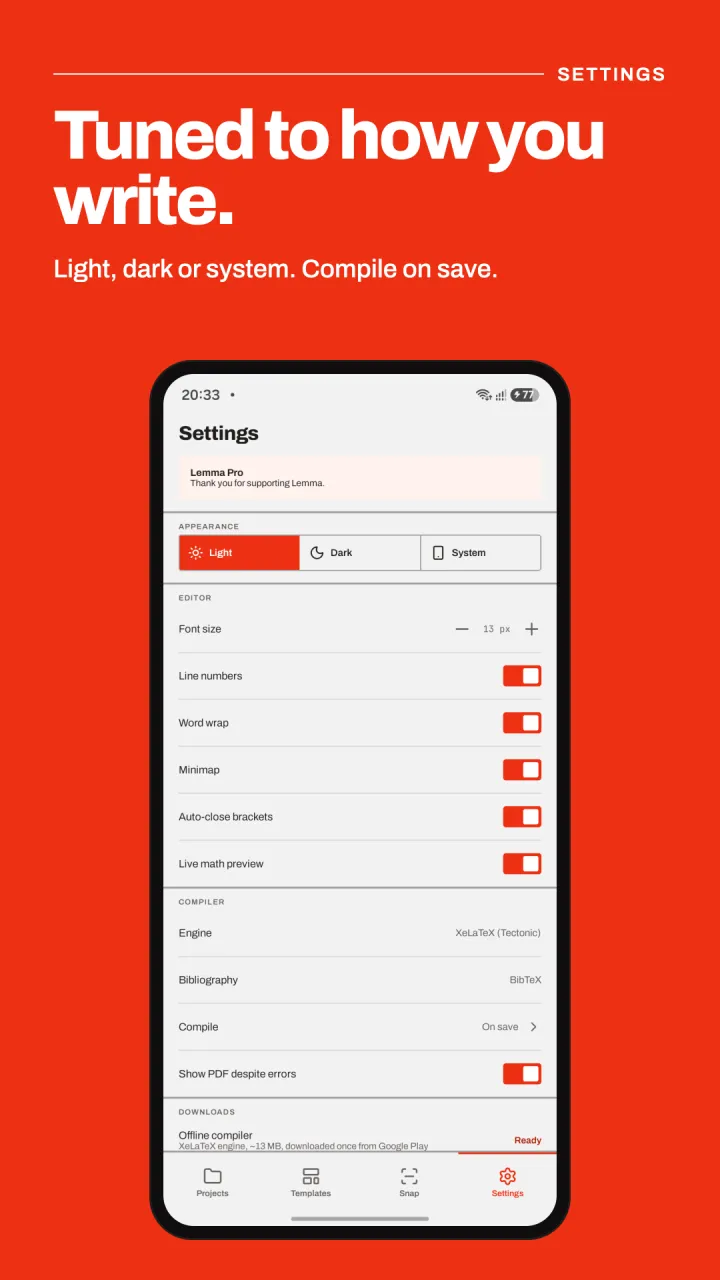
Tuned to how you write.

Light, dark or system theme, font size, word wrap, auto-closing brackets and a live math preview. Compile on save, or only when you ask.

  • Offline compiler downloaded once from Google Play (about 13 MB)
  • See and clear downloaded TeX packages
  • Works on Android 8.0 and newer
Lemma's settings with appearance, editor and compiler options
Free & Lemma Pro

Free to write. Pay once for more.

Everything you need to write, compile and sync is free. Lemma Pro is a one-time purchase through Google Play that removes ads and adds Snap math, Typst conversion and premium templates. No subscription.

What the free version and Lemma Pro include
FeatureFreePro
Unlimited projects✓✓
Offline compiler✓✓
Live preview✓✓
Symbol keyboard bar✓✓
Git & Google Drive sync✓✓
PDF & equation-image export✓✓
7 essential templates✓✓
No ads—✓
Snap math: camera & handwriting—✓
LaTeX → Typst converter—✓
10 premium templates—✓
Privacy

Your documents stay on your phone.

Lemma has no account system, no analytics and no server that receives your documents. Compiling, Snap math and the LaTeX-to-Typst converter all run on your device.

Read the privacy policy
  • No sign-up, ever
  • Compiles on your device
  • Handwriting recognised on-device
  • Sync only where you choose
FAQ

Questions, answered.

Can I compile LaTeX offline on Android?

Yes. Lemma compiles with a real XeTeX engine on the phone. The first time a document uses a package it is downloaded once; after that, compiling works without a connection.

Is Lemma free?

Yes. Writing, compiling, live preview, Git and Google Drive sync, PDF export and 7 templates are free, with ads. Lemma Pro is a one-time purchase that removes ads and adds Snap math, the Typst converter and 10 premium templates.

Can I open my Overleaf projects?

Yes. Download your project as a .zip from Overleaf (or any editor) and import it, or clone it from a Git repository. Lemma compiles with XeLaTeX, so most pdfLaTeX documents work unchanged.

Which TeX engine does Lemma use?

Tectonic, a modern XeTeX-based engine. BibTeX bibliographies are supported; Biber and makeindex are not.

Does Lemma upload my documents?

No. Your projects stay in the app's private storage, or in a folder you choose. They only leave your phone if you sync them to Git or Google Drive yourself.

How does Snap math work?

Snap math (Lemma Pro) recognises printed and handwritten formulas from the camera, a drawing or an image, entirely on your device, and gives you editable LaTeX with a live preview.

Which devices are supported?

Phones and tablets running Android 8.0 or newer with a 64-bit processor, plus Chromebooks with Google Play.

LaTeX, on your phone.

Get it onGoogle Play